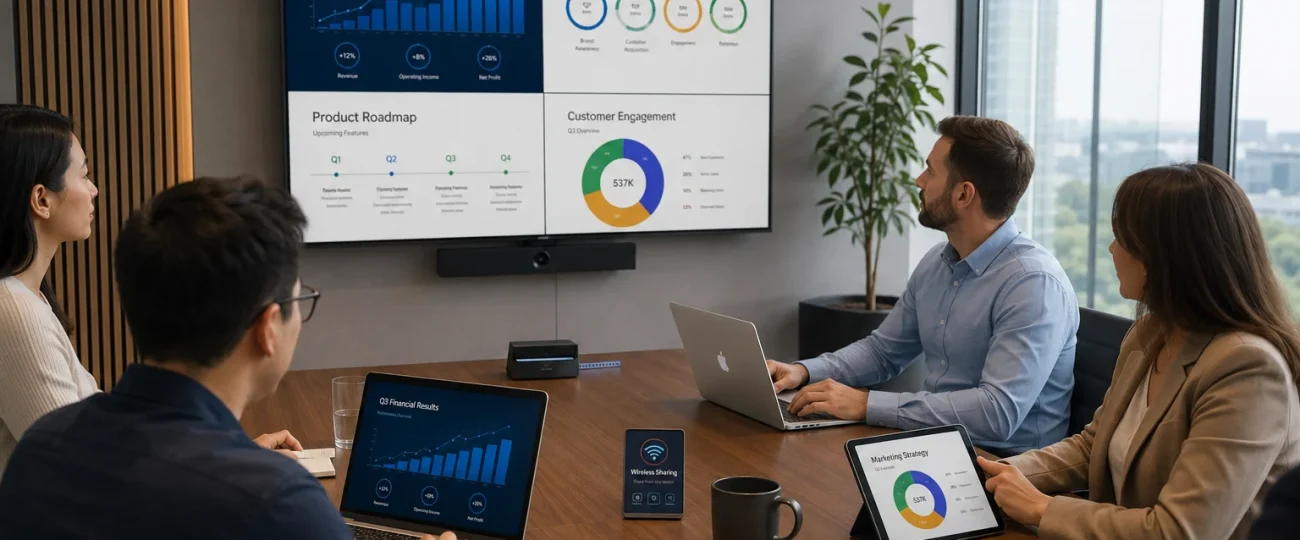

The screen mirroring function has been added to the device to help users share content from their phone, tablet, or computer on a bigger screen. Users can show photos, videos, documents, presentations, apps and more on a TV, projector or compatible monitor, instead of having to gather around a small screen.
The technology can be beneficial in homes, offices, classrooms, meetings, and entertainment settings. Screen mirroring can be helpful in a variety of situations such as showing a video to family members or sharing a project with a team of co-workers. Awareness of what screen mirroring is, its applications, and how to configure it are useful to the user to make the most of their device.
What is Screen Mirroring?
“Screen mirroring” is the term used to describe this technology where the display of one device is duplicated on another compatible screen. For instance, a smartphone screen can be mirrored to a smart TV. Depending on the technology and settings used, everything that’s visible on the phone will be visible on the larger screen.
Mirroring is overall duplication of the screen, unlike the unilateral send of a particular video or photo to another device. This will allow users to show apps, websites, documents, presentations, games and more. Various devices and operating systems can employ different technologies to this end. Some of these use wireless standards, others use cables or adapters.
What is the Working of Screen Mirroring?
Screen mirroring can be done wirelessly or via cable. The most common method of wireless mirroring is to use a local WiFi network or other wireless communication technology that is compatible with the devices.
Information is sent from the source device as to what should be displayed on the screen; the receiving device displays the information. For some technologies, this connection will need to take place between devices on the same network.
Other physical connections can be used for screen mirroring. For instance, it is possible to use a smartphone, tablet or laptop to connect to a television or projector, with the help of compatible adapters.
Factors affecting the quality of the experience include which devices are supported, network speed, display resolution, distance, and the technology used.
How Can Screen Mirroring Improve Home Entertainment?
One of the most popular applications of screen mirroring is entertainment. Smartphones have huge numbers of photos, videos, social media and streaming applications. It may not be as fun to watch when on a small screen, particularly when a group of people wants to watch at the same time.
Screen mirroring enables users to see compatible content on a bigger TV. Family members can take a look at the pictures, videos, presentations or other materials during the holidays together.
It can also be helpful when a specific application or website is more convenient to use on a mobile device than over a TV. Users can use the source device while watching it on the big screen. This provides a convenient connection of personal devices with home entertainment systems.
How Can Screen Mirroring Improve Business Presentations?
It can give business presentations more flexibility when using screen mirroring. Presenters have the option to show content directly from a laptop, tablet or smart phone instead of using a dedicated presentation computer.
A mobile salesperson might show a potential customer a mobile application on a large screen displayed in the meeting room. At a team meeting, a manager can present a Dashboard on his laptop.
Wireless screen sharing could also minimize the amount of cables in a meeting room. But, in every business environment, it is best to test connections and compatibility before a big presentation. Stability is important since if they lose their connection during a professional presentation, it may impact communication and credibility.
Why is Screen Mirroring Beneficial in the Educational Sector?
Screen Mirroring can be used in classrooms to benefit teachers and students. A teacher may use the tablet and/or computer to show information on a projector or large screen, so that it is easy for everyone to see. A teacher could, for instance, show students how to use an educational app, present a digital document, or guide students through a website.
Students are also able to use screen mirroring to showcase projects. A student could make a presentation using their laptop and share it with the whole class. This can help to make learning more interactive since teachers can show content in real-time, rather than just in print.
Is Collaboration Easier with Screen Mirroring?
It’s common for people to have to view and share the same information in order to collaborate effectively. This can be made easier with screen mirroring, which lets several people view the same screen.
A team member can take a document or design from a laptop and show it to the group and others can discuss changes in a brainstorming session. Designers can present a prototype, developers can showcase new applications, marketing teams can check out marketing materials.
The technology can diminish the necessity for everybody to huddle around a tiny display. It also makes discussions more visual and therefore can help in understanding when dealing with complex information.
How Does Screen Mirroring Help With Mobile Content?
Sony’s television-sized screens are a lot bigger than the ones on smartphones, but smartphones are capable of some pretty powerful computing. Screen Mirroring lets users enjoy mobile apps without compromising on the size of the screen. This will be useful for web browsing, document viewing, viewing photos or displaying applications.
For instance, a company owner might have an important dashboard displayed on a smartphone that he or she can show on a monitor while talking. Small text, graphics and on-screen information can be easier for a group to see on the larger screen.
Are There any Advantages for Gaming?
For casual games, screen mirroring can come in handy. A few mobile games are able to be shown on a television or even larger screen, providing a more entertaining experience for those who like a larger screen. There is the option to watch the game with friends and family, and there are compatible controllers for a more comfortable way to play.
But latency should be taken into account for gamers. There may be a delay between the actions in the source device and what is displayed. A wired connection or special technology might be more suitable for fast-paced games.
How Can Screen Mirroring Improve Remote Meetings?
With remote and hybrid working, there is a growing need for effective collaboration in the digital world. Screen mirroring can facilitate meetings by enabling employees to share information from various devices.
A participant may present a spreadsheet, design, presentation or document at a meeting. This can help discussions to be more visual and less confusing.
Wireless Display in conference rooms can enable various users to share their screens with each other without having to connect cables every time someone wants to present.
Nevertheless, organizations must take appropriate action to ensure that there is adequate security, particularly when sensitive business information is being shown.
What Devices Support Screen Mirroring?
Lots of smart phones, tablets, laptops, TVs, projectors and monitors can wirelessly mirror the screen or share the display. Depending on the Android device manufacturer and version, the device can have built-in screen sharing or casting capabilities. Commonly used technologies for supported displays and receivers are AirPlay compatible.
Wireless displays are supported on wireless-enabled computers running Windows, and many smart TVs have built-in support for one or more screen-sharing standards. Users should consult the specifications and instructions for both the sending and receiving devices before trying to connect them, as they might not be compatible.
How Do You Set Up Screen Mirroring?
Set up procedure varies depending on the devices. Users often determine compatibility between the source device and receiving display before using.
Both devices might need to be on the same Wi-Fi network for wireless connection. The user can then open the corresponding screen sharing, casting or display settings and choose the target device. Permission or confirmation code might be needed on some systems to establish the connection.
In most cases, users will need an adapter or other compatible cable for wired connections. Connecting the devices, the TV or monitor might detect the signal automatically or the user might need to choose the input source.
What Problems Can Occur With Screen Mirroring?
While screen mirroring makes things easy, there can be connection issues from time to time. Possible problems are incompatible devices, weak Wi-Fi signals, outdated software, incorrect settings or network restrictions.
Sometimes, temporary issues can be eliminated by restarting both devices when a connection fails. The user should also make sure that the devices can display the same screen-sharing technology.
To use wireless mirroring, try to bring the devices closer to the router or decrease network congestion. For devices that can be connected via wire, a wired connection can be an option if wireless performance is troublesome.
What Can You Do to Enhance Screen Mirroring?
For smooth wireless screen mirroring, it is crucial to have a powerful network connection. Place devices within a reasonable distance from the router and don’t overburden the network.
Software update also enhances compatibility and reliability. Test the connection before an important presentation using the same equipment you will use. In business environments, it may be useful to have alternate cables and adapters that are compatible.
Also, any unneeded apps should be shut down on the source device. This can help lower the use of resources and boost overall performance, especially when showing heavy content.
Is Screen Mirroring Safe?
When sharing a device screen, security needs to be taken into account. Screen mirroring might reveal any content on the source device (notifications, private messages, documents, and more sensitive information). If sharing your screen in a public or professional setting, close down any applications that might come in handy, but aren’t needed and turn off notifications if possible.
Always use trusted networks and compatible devices, particularly when using confidential information. Organizations should also have guidelines on how to use wireless display technology in conference rooms. It’s just as crucial to know what it is you’re sharing as it is to know how to connect the devices.
Frequently Asked Questions?
Is Screen Mirroring Equal to Casting?
Not always. In general, screen mirroring will display what is happening on the source device on the receiving device, whereas casting can stream certain content to the receiving device and enable the source device to show something else.
Is it Possible to Mirror My Phone to a TV?
Yes, provided that both devices are compatible with a screen sharing technology. This will vary depending on the phone, TV, operating system and connection type.
Does Screen Mirroring Require Wi-Fi?
In many cases, wireless screen mirroring can be achieved via Wi-Fi or another form of wireless technology, although some methods do not require a shared Wi-Fi network. If you have a compatible adapter, it can also be used with wired connections.
Can Screen Mirroring Be Used for Presentations?
It can provide access to presentations, documents, dashboards, websites, and applications to be viewed on larger screens in meetings, classrooms, and conferences.
How to fix Screen Mirroring Lag?
There are many possible reasons for lag, including weak wireless connection, too many other devices connected to the network, device issues, distance, and compatibility. An improvement of the network connection or a wired connection may alleviate this.
So, is Screen Mirroring a Good Idea for Games?
It can be good for casual gaming and group viewing, but the wireless latency could have an impact on fast-paced games. In cases where supported, wired connections might offer a more responsive experience.
Conclusion
Screen mirroring is now a useful solution for porting personal devices to larger screens. It can enhance entertainment, presentations, education, collaboration, gaming and remote meetings for groups by making the content on smartphones, tablets and computers more visible.
Using compatible devices, having a reliable connection and selecting the appropriate wireless or wired option will give you the best experience. It is also important for the users to take care about privacy and security, before showing private/confidential information.
Screen mirroring will continue to be a great way for playing digital content from smaller personal screens to larger shared screens, as smart TVs, mobile devices, computers, and wireless display technologies evolve.